Importing Javascript
There are multiple ways to import javascript onto a page:
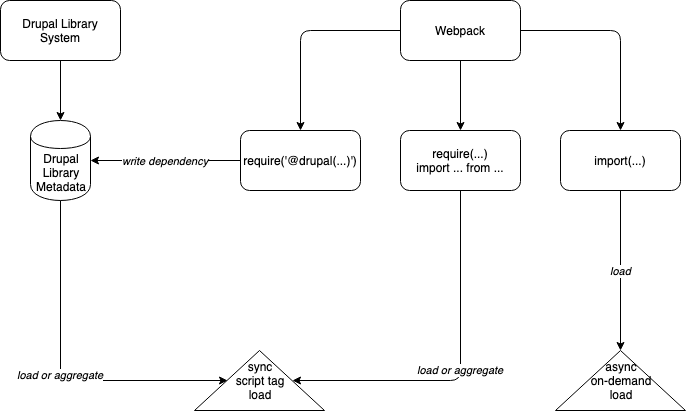
Basic Webpack Loading (Synchronous)
When importing node pacakages (including those installed from npm) into your javascript that are needed to run the javascript (not optional), they should be imported with an ES6 require or import statement:
headroom = require('headroom.js')
import headroom from 'headroom.js'
The Drupal Library System (Synchronous)
This uses plain old Drupal libraries to synchronously load a script tag on the page, with optional aggregation.
This is how most developers are used to loading asset libraries.
There is a section dedicated to the Drupal library system with details about how webpack interacts with it.
Webpack Dynamic Imports (Asynchronous)
Our webpack build supports lazy loading javascript dependencies with the webpack import() function.
You can use this to asynchronously load large dependencies that aren't initially required on the page.
  import('lodash').then(_ => {
    // Do something with lodash (a.k.a '_')...
  });